
Book and prepare the visit
Your users arrange the space they need and prepare for their guests through a connected journey.
Gately Business · Coworking & business centres
A meeting room or coworking space is booked, then the invitations are shared in the same journey. On arrival, reception finds the meeting and its guests, and records the visit according to the centre’s procedures.
For coworking, shared office and business centre operators.

Reservation → invitation → reception
A user books a meeting room or coworking space offered at the site.
The reservation connects to invitations for the expected visitors.
Reception finds the invitations and welcomes guests according to the centre’s procedures.
Authorised people can consult recorded visit events within their scope.
Reception kiosk · Visitors without an invitation
An unannounced visit? Visitors complete their form using the QR displayed at reception or on the kiosk. Your team takes over with the company or person being visited.
The visitor introduces themselves. Your team stays in charge of admission.
See this journey in a demo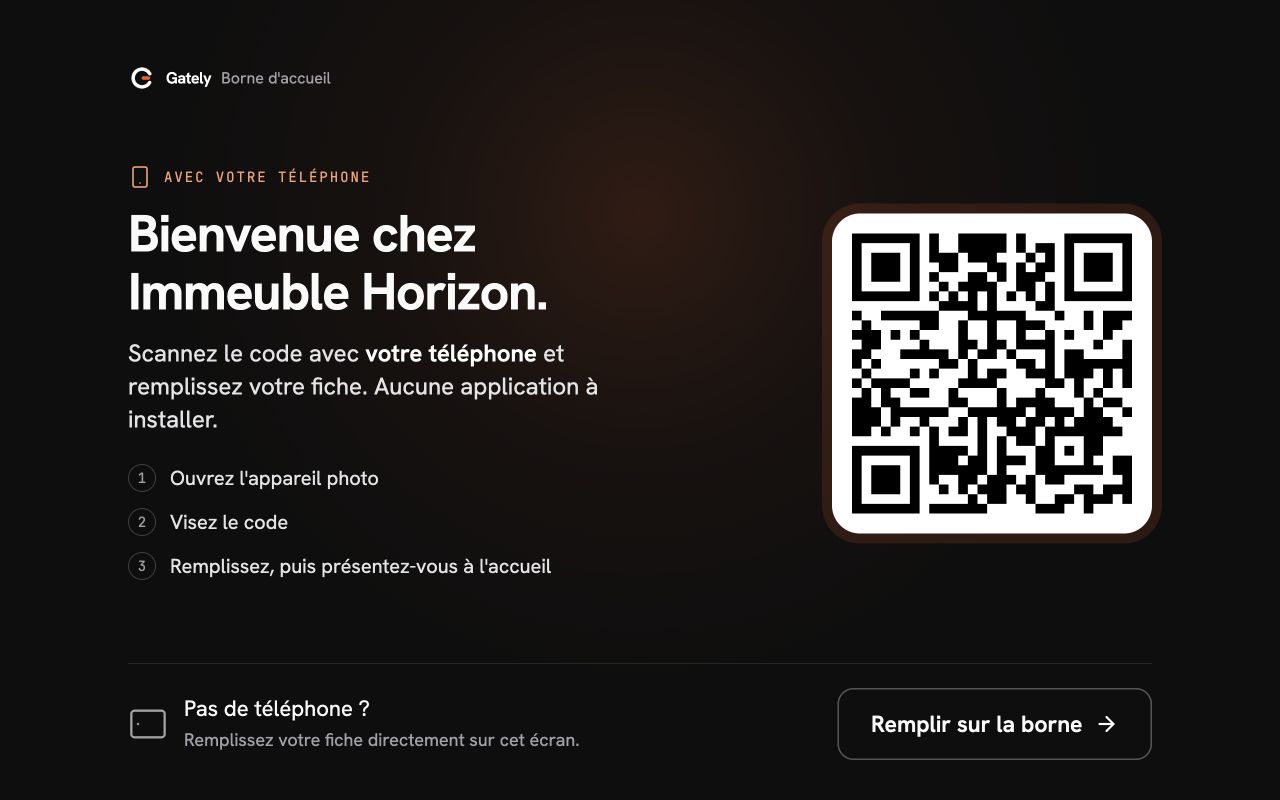
They scan the displayed QR and enter their visit details. Direct entry on the kiosk remains available without a phone.
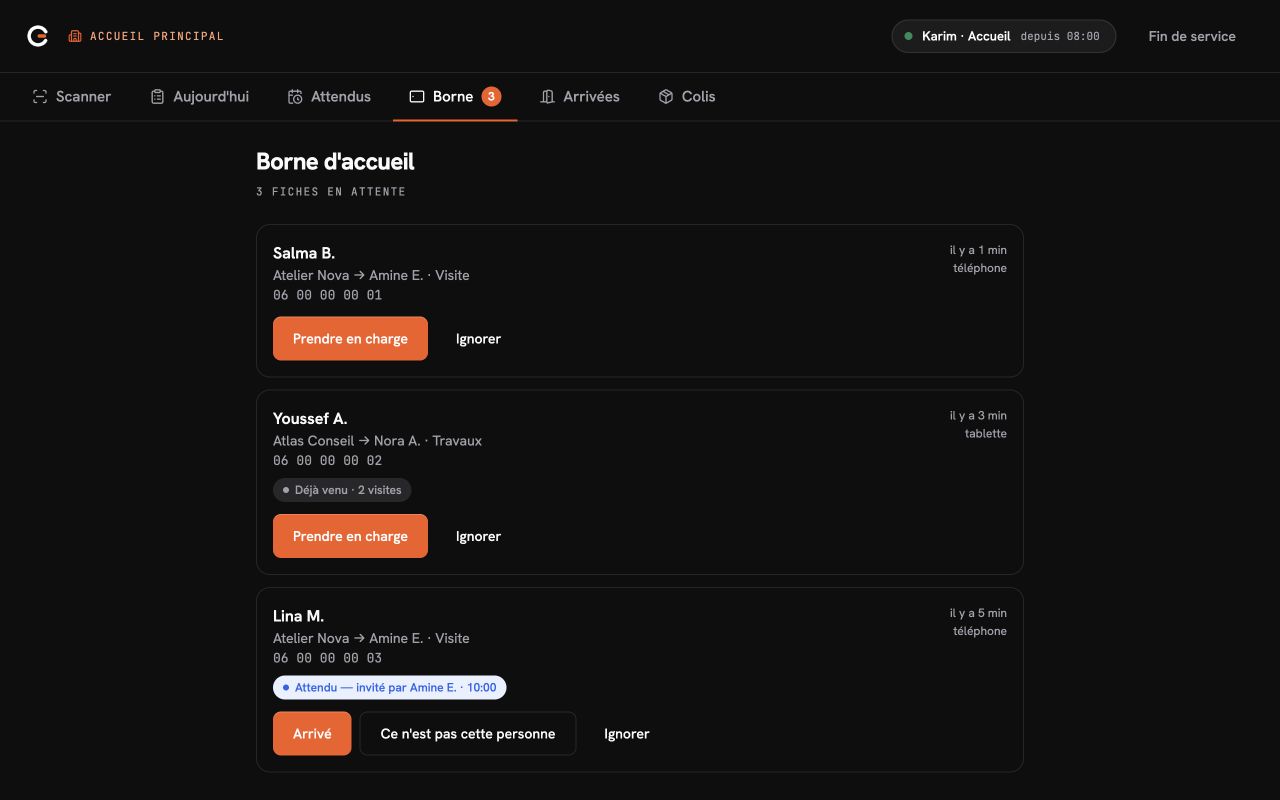
Your team sees the company and host, identifies expected visitors and handles unannounced arrivals.
Gately interfaces captured with demonstration data · in French.
For your users and your team
Your users arrange the space they need and prepare for their guests through a connected journey.
Invitations prepare the way for visitors. Your team can find the expected guests when they arrive.
Recorded visit events remain available to authorised people after reception has welcomed the guest.
A reservation or recorded event alone does not establish a person’s physical presence.
At your centre
Visitors can enter their details on their phone using the QR displayed at reception, without an account or app, or directly on the kiosk in full mode. Reception reviews the form and takes over the request before the host is contacted. The team then records the decision following the site’s procedures.
No. The kiosk helps visitors complete their form on a tablet or on their phone using a QR displayed on screen. An internet connection and a reception team are still required. Neither the form nor the host’s response opens a door.
Gately includes predefined templates for meeting rooms and coworking spaces. Setup depends on the spaces your centre offers.
Yes. Gately connects a space reservation to invitations and guest arrival. The demo lets your reception team walk through this journey.
Gately Business runs on the web, including on a reception computer with a connected QR reader. An internet connection is required.
This solution covers space reservations and visitor reception. Member subscriptions, billing, payments and integrations with your tools need a separate assessment; they are not included in the scope presented on this page.
No. Admission follows the site’s procedures. Gately does not operate doors, barriers or turnstiles.
Starting with your spaces, users and reception, we will show you the booking and guest arrival journey. Together we will define the scope and commercial terms.
Managing an office building with several companies? Explore that solution.